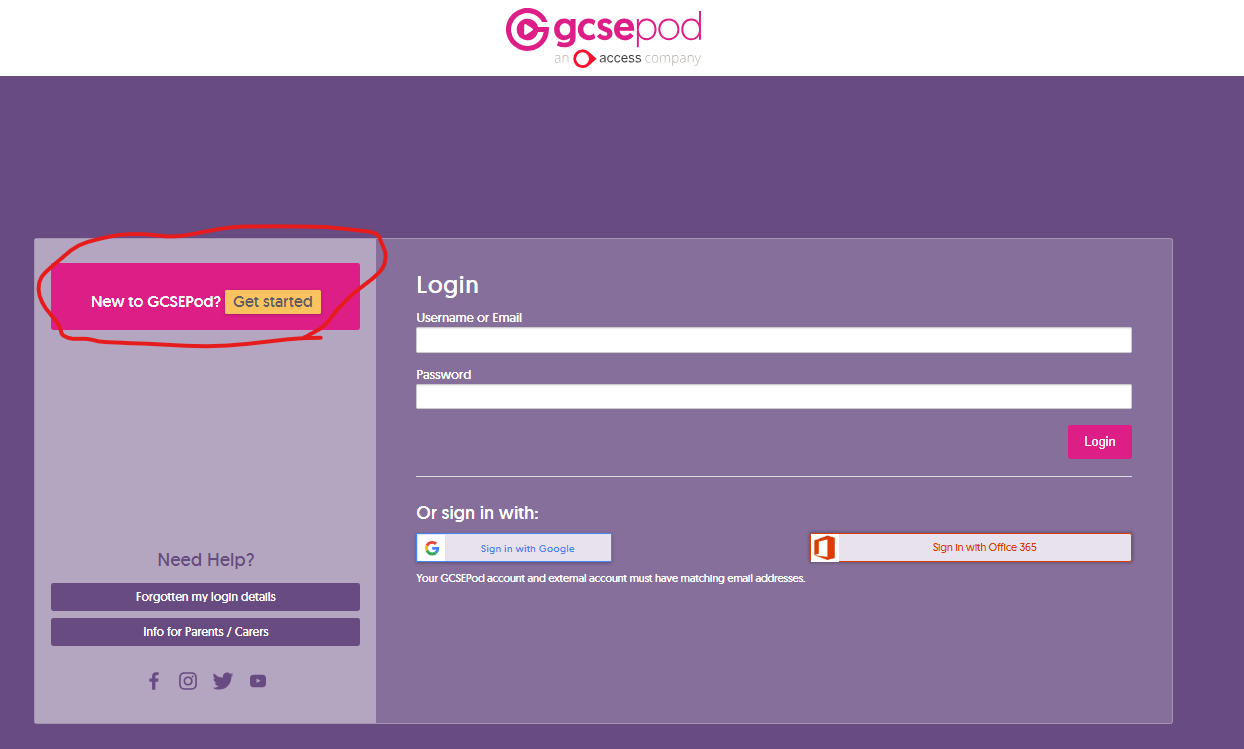
To login to GCSEPod head to the website at https://members.gcsepod.com/login/ and select login.
Next select the “new to GCSEPod” box
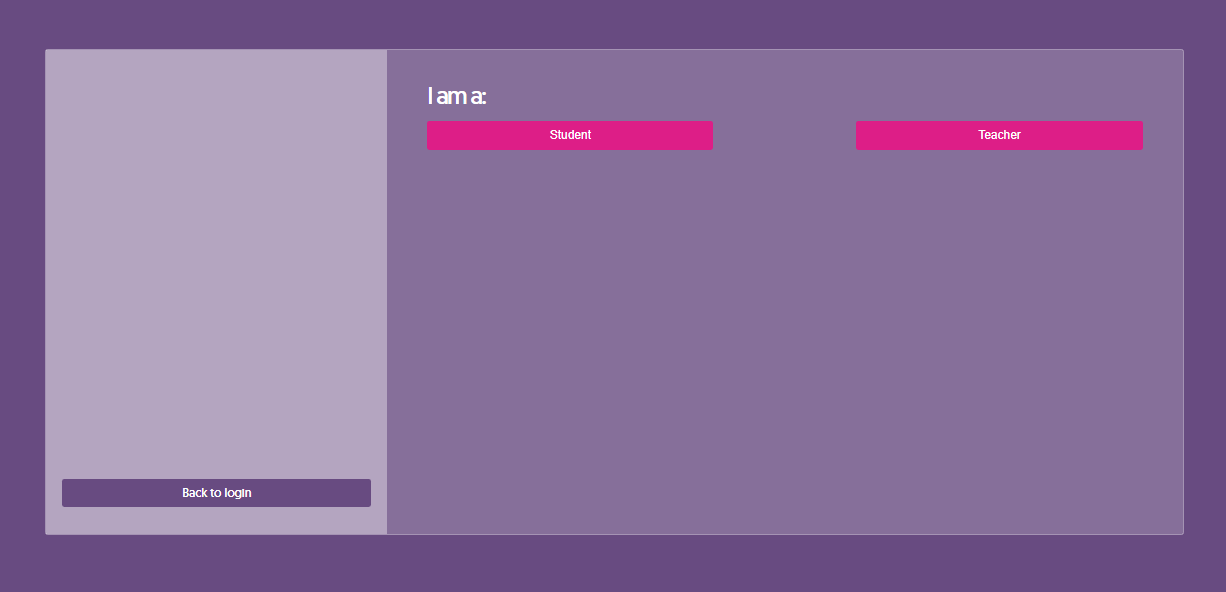
As a student click on Student, teachers click on Teachers
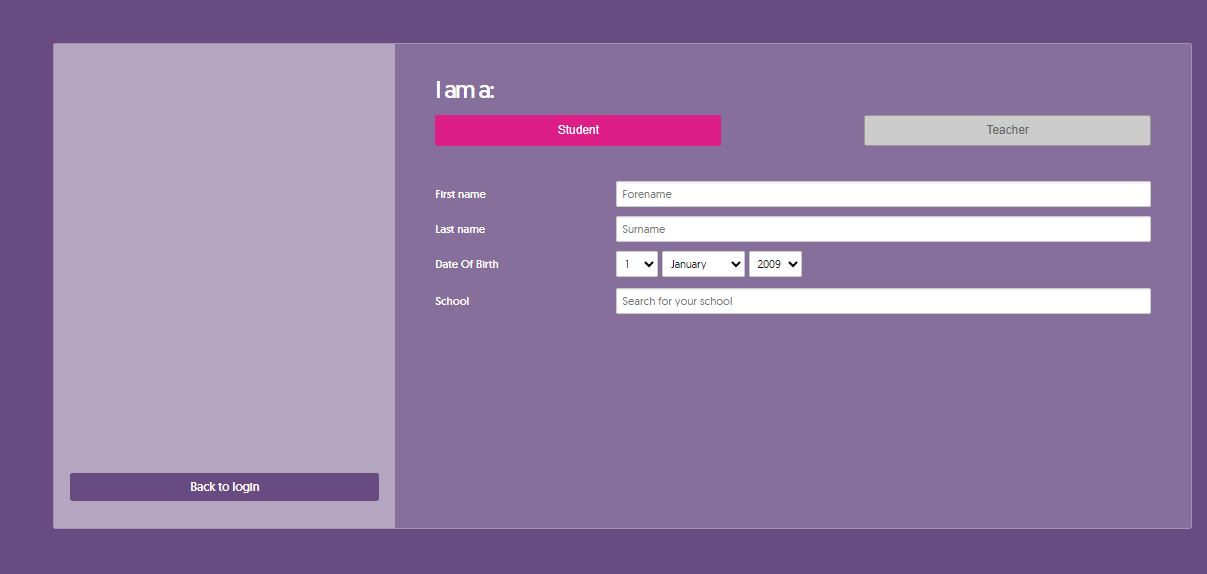
Fill in your personal information and select “Henley in Arden” for the school
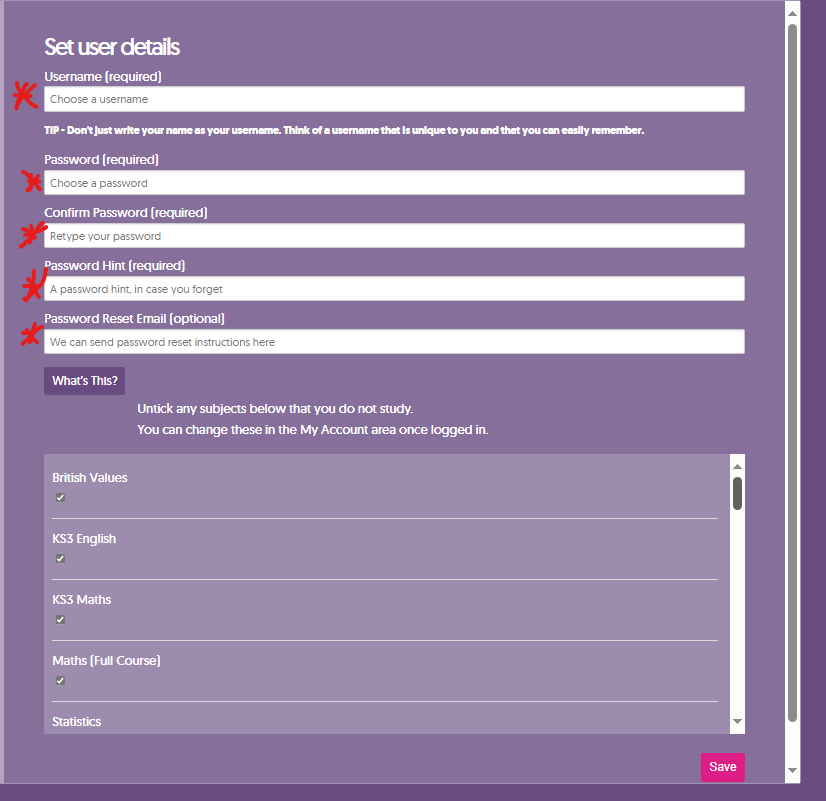
Put in your Username using the same format as you do to login, i.e. JSmith23 and make sure you put in your school email for the “password reset email” i.e. JSmith23@henleyschool.com
Was this article helpful?
That’s Great!
Thank you for your feedback
Sorry! We couldn't be helpful
Thank you for your feedback
Feedback sent
We appreciate your effort and will try to fix the article